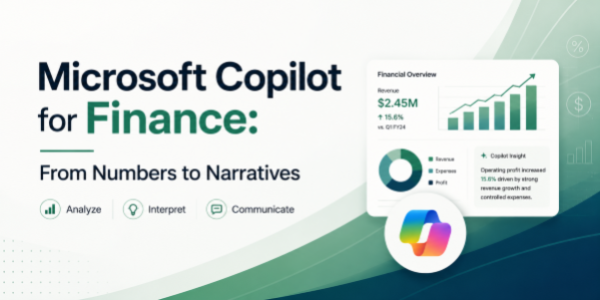
Microsoft Copilot for Finance: From Numbers to Narratives
About the Course:
Finance professionals don't just crunch numbers; they tell the story behind them. This power-packed 90-minute session shows finance teams how to use Microsoft Copilot across the entire M365 ecosystem to do exactly that, faster than ever before. You'll learn how to analyse financial data in Excel using plain English, draft board memos and audit notes in Word, build CFO-ready PowerPoint decks from a single prompt, summarise finance review meetings in Teams, manage your inbox in Outlook, and even build a custom AI agent to automate recurring finance workflows in M365 Copilot Studio. By the end, your spreadsheets will speak, your decks will write themselves, and your reporting cycle will look completely different.
Why This Course?
Finance teams lose hundreds of hours every quarter on tasks that AI can now finish in minutes, such as variance commentary, MIS prep, reconciliations, board decks, audit trails, and endless email follow-ups. Copilot ends that grind, but only if you know the right prompts and patterns for finance work. This course is not a feature tour. It's a hands-on workshop built around real finance scenarios, month-end close, FP&A reporting, budget vs actuals, audit prep, and investor updates, so you walk away with prompts and workflows you can apply on day one.
Why Now?
Finance is being rewritten by AI, quietly, but quickly. CFOs are openly saying that the next generation of finance professionals will be expected to do more with smaller teams, shorter cycles, and sharper insights, and Copilot is the single biggest lever to make that happen. Learning Copilot today is the new equivalent of learning advanced Excel a decade ago, a quiet, compounding career advantage. The earlier you adopt it, the more visible (and valuable) you become.
Course Objectives:
By the end of this 90-minute session, finance professionals will be able to:
- Use Copilot in Excel to analyse financial data, generate variance commentary, and build MIS reports faster.
- Draft board notes, audit memos, and policy documents in Word with Copilot's drafting and summarisation power.
- Generate finance-ready PowerPoint decks (board, investor, MIS) from a Word doc or short prompt.
- Capture meeting notes, follow-ups, and action items from finance review calls in Teams.
- Triage finance inboxes (vendor, audit, leadership) with Copilot in Outlook for faster, sharper replies.
- Build a basic custom Copilot agent in M365 Copilot Studio for a recurring finance task, no code required.
Who is the Target Audience?
- Finance professionals across FP&A, controlling, accounting, treasury, audit, and tax functions.
- Finance managers and team leads are responsible for MIS, board reporting, and month-end close.
- Chartered Accountants, CPAs, CMAs, MBAs in finance, and aspiring finance leaders.
- Business finance partners, finance analysts, and shared services teams in M365-driven organisations.
- CFOs and finance heads are exploring AI adoption inside their teams.
Basic Knowledge:
- Working knowledge of core finance workflows (MIS, P&L, budgets, variance analysis, audit basics).
- Day-to-day comfort with Microsoft 365 apps, Excel, Word, PowerPoint, Teams, and Outlook.
- Access to a Microsoft 365 account with a Copilot licence (recommended for live, hands-on practice).
- No prior AI or coding experience required; the course is fully beginner-friendly on the AI side.
Welcome and Copilot Overview
- What Copilot does across M365 for finance
- Finance workflow transformation examples
- Session roadmap and hands-on expectations
Excel: Data Analysis to Insights
- Natural language data analysis and variance explanations
- Building MIS tables and financial summaries
- Key prompts: "Explain this variance", "Create month-over-month trends"
Word: Drafting Finance Narratives
- Generating board notes, audit memos, policy summaries
- Transforming Excel insights into written narratives
- Key prompts: "Draft variance commentary", "Write investor update"
PowerPoint: Executive Presentations
- Auto-generating CFO-ready slides from prompts or Word docs
- Chart selection, layout optimization, and finance storytelling
- Key prompts: "Create board presentation from this P&L"
Teams & Outlook: Communication Mastery
- Auto-summaries, action items, meeting insights.
- Outlook Exercise: Vendor/Audit email triage
- Smart replies, email drafting, and inbox prioritization
- Key prompts: "Summarize this meeting", "Draft reply to CFO"
Copilot Studio: Custom Finance Agent
- No-code agent builder for finance tasks
- Monthly reconciliation checker or budget tracker
- Deploying and sharing custom agents
Integration Challenge & Wrap-up
- End-to-end workflow: Excel → Word → PowerPoint → Teams
- Key takeaways and implementation roadmap